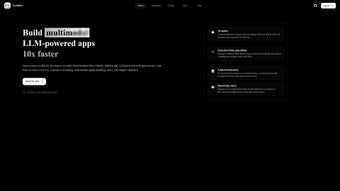

Download Scoopika – Advanced AI Integration Made Easy
Overview
Scoopika is a web‑based AI platform that removes the technical barriers usually associated with embedding sophisticated artificial‑intelligence agents into modern applications. Designed for developers, product managers, and even non‑technical creators, Scoopika lets you spin up conversational agents that speak natural language, remember context, and collaborate with each other in real time. Whether you’re building a customer‑support chatbot, an interactive data‑visualisation assistant, or a multi‑agent workflow for internal tools, Scoopika provides a secure, open‑source foundation that can be tailored to any brand voice or functional requirement.
Its standout “Multi‑agent boxes” let several agents work side‑by‑side, sharing information and delegating tasks without the need for custom orchestration code. Real‑time data streaming ensures that user interactions stay fluid, while built‑in safety nets—type validation, automated error recovery, and sandboxed execution—keep the system reliable under heavy load. The Long‑term Memory (LLM) engine stores persistent chat sessions, enabling agents to retain knowledge across visits, which is essential for personalized experiences.
Because Scoopika is fully open source, you retain full control over the source code, licensing, and deployment strategy, making it a future‑proof choice for startups and enterprises alike. The community around Scoopika is active on GitHub and Discord, offering plugins, tutorials, and rapid bug‑fix cycles, which means you’re never left stranded when you encounter an edge case. Security‑first design, combined with the ability to self‑host, ensures that sensitive data never leaves your infrastructure unless you explicitly route it through third‑party LLM APIs.
In short, Scoopika delivers a blend of flexibility, scalability, and developer‑centric tooling that empowers teams to create AI‑driven experiences without reinventing the wheel.
Core Features that Set Scoopika Apart
- Multi‑agent Collaboration: Create “boxes” where several AI agents communicate, share data, and jointly solve problems, boosting overall functionality.
- Natural‑Language Interaction: Agents understand and generate human‑like text, supporting rich conversational flows without extensive scripting.
- Real‑Time Data Streaming: Low‑latency streaming keeps user experiences smooth, essential for dashboards, live‑chat, and interactive tutorials.
- Long‑Term Memory (LLM) Engine: Persistent session storage lets agents recall past interactions, providing continuity and personalization.
- Open‑Source Flexibility: Full access to the codebase means you can modify, extend, or self‑host the platform to meet compliance or performance needs.
- Safety & Reliability: Automatic type validation, error‑recovery routines, and sandboxed execution protect against crashes and data corruption.
- Custom Personality Profiles: Define tone, style, and behavior for each agent, ensuring brand consistency across all touchpoints.
- Scalable Architecture: Cloud‑native design supports horizontal scaling, making it suitable for both small prototypes and enterprise‑grade deployments.
Each feature is accessible through an intuitive web interface, but developers also have a robust RESTful API and SDKs for JavaScript, Python, and Go, allowing seamless integration into existing tech stacks. The platform’s modular approach means you can enable only the components you need—whether that’s simple Q&A bots or a full‑blown multi‑agent workflow that pulls data from internal APIs, third‑party services, and user‑generated content. Security is baked in: all communication uses HTTPS, and you can enforce OAuth2 or API‑key authentication for external calls.
The multi‑agent collaboration engine leverages a lightweight message bus that guarantees ordered delivery and at‑most‑once semantics, which is critical for financial or medical applications where data integrity cannot be compromised. Long‑term memory is encrypted at rest using AES‑256, and you can configure automatic rotation of encryption keys to meet stringent compliance regimes such as GDPR or HIPAA. Moreover, the open‑source nature invites community‑driven extensions—developers have already contributed adapters for vector databases, sentiment analysis modules, and custom telemetry pipelines, turning Scoopika into a truly extensible AI ecosystem.
Installation, Usage & Compatibility
Step‑by‑Step Installation
Getting Scoopika up and running is straightforward thanks to its Docker‑first distribution. Follow these steps for a quick start:
- Install Docker Engine (minimum version 20.10) on your host machine.
- Clone the official repository:
git clone https://github.com/scoopika/scoopika.git. - Navigate into the project folder and copy the example environment file:
cp .env.example .env. - Edit
.envto set your preferred ports, API keys, and database credentials. By default, Scoopika uses PostgreSQL, but you can switch to MySQL or SQLite. - Run
docker compose up -d. Docker will pull the necessary images, build the application container, and start the supporting services (database, Redis cache, and the web UI). - Open your browser and go to
http://localhost:8080to launch the admin dashboard.
The entire process typically completes in under five minutes on a modern workstation. For production deployments, you can switch to Kubernetes manifests provided in the deploy/ directory, which include Helm charts for easy scaling and rolling updates. The Helm chart lets you define replica counts, resource limits, and auto‑scaling policies, ensuring that your AI services remain responsive under peak load. If you prefer a serverless approach, the platform also offers a lightweight Docker‑less mode that runs on AWS Fargate or Google Cloud Run, letting you pay only for the compute you actually use.
Using the Platform
Once the dashboard loads, you’ll be greeted by a clean onboarding wizard that guides you through creating your first agent. Choose a base language model (OpenAI GPT‑4, Anthropic Claude, or an open‑source LLaMA variant) and then define a personality profile using simple sliders for tone, formality, and empathy. Next, add a “Multi‑agent box” if you need collaboration; drag‑and‑drop agents into the box, set communication rules, and test the flow with the built‑in console.
Real‑time data streams can be bound to external websockets or server‑sent events, allowing the agents to push live updates to a front‑end UI. The Long‑term Memory module is configured through a separate tab where you can set retention policies, encryption keys, and backup schedules. For developers, the API documentation is auto‑generated via Swagger and can be accessed at /api/docs.
Sample code snippets demonstrate how to send a user message, retrieve an agent response, and manage session state programmatically. The SDKs abstract away the HTTP layer, letting you focus on business logic rather than request formatting. Advanced users can also write custom plugins in Go or Python to extend the platform’s capabilities, such as integrating with proprietary data warehouses or adding domain‑specific reasoning modules.
Compatibility: Scoopika runs on any operating system that supports Docker—Windows 10/11 (with WSL 2), macOS (Intel or Apple Silicon), and mainstream Linux distributions (Ubuntu, Debian, CentOS). Because the UI is web‑based, end‑users only need a modern browser (Chrome, Edge, Firefox, or Safari). Mobile support is achieved through responsive design, allowing agents to be embedded in progressive web apps on Android and iOS. For on‑premises enterprises, the platform can be installed behind a corporate firewall, with optional LDAP integration for single‑sign‑on and role‑based access control.
Pros, Cons, FAQ & Final Thoughts
Pros
- Highly extensible open‑source core.
- Multi‑agent collaboration out of the box.
- Real‑time streaming for low‑latency interactions.
- Built‑in safety features and error recovery.
- Long‑term memory enables persistent, personalized chats.
- Cross‑platform compatibility via Docker.
- Comprehensive SDKs and API documentation.
- Active community with plugins and regular updates.
Cons
- Initial learning curve for non‑technical users.
- Requires a container runtime (Docker/Kubernetes) for production.
- Advanced features (e.g., large language models) may need external API keys, incurring usage costs.
- Limited out‑of‑the‑box visual theme options; UI customization requires front‑end work.
- Self‑hosting demands adequate infrastructure and monitoring.
Frequently Asked Questions
Is Scoopika free to use?
Yes, Scoopika is released under the MIT license, which means you can download, modify, and deploy it without any licensing fees. However, if you use third‑party LLM APIs (e.g., OpenAI), those services may have their own usage costs.
Can I host Scoopika on my own servers?
Absolutely. Because the platform is containerized, you can run it on any cloud provider (AWS, Azure, GCP) or on‑premises hardware that supports Docker or Kubernetes.
What language models are supported?
Scoopika ships with adapters for OpenAI GPT‑4, Anthropic Claude, and popular open‑source models like LLaMA and Mistral. You can also add custom adapters via the plugin system.
How does the multi‑agent box handle data privacy?
Each agent runs in an isolated sandbox, and data exchanged between agents is encrypted in‑memory. You can enforce additional policies through the security settings in the admin console.
Is there a community or support channel?
Yes, the project maintains an active GitHub repository with issue tracking, a Discord server for real‑time discussions, and comprehensive documentation on the official website.
Conclusion & Call to Action
Scoopika delivers a powerful, yet approachable, framework for anyone looking to embed advanced AI agents into web applications. Its blend of multi‑agent collaboration, real‑time streaming, and long‑term memory creates experiences that feel genuinely conversational and context‑aware. While the platform assumes a modest level of technical competence—especially around container orchestration—it rewards that investment with unparalleled flexibility and control. Whether you’re a startup prototyping a smart chatbot or an enterprise integrating AI‑driven workflows across multiple departments, Scoopika’s open‑source nature ensures you won’t be locked into a proprietary ecosystem.
Ready to supercharge your product with intelligent agents? Download Scoopika today, spin up your first multi‑agent box, and experience the future of conversational AI—secure, scalable, and completely customizable.
Scoopika stands out for its developer‑centric design and robust multi‑agent capabilities. The only drawbacks are the initial setup complexity for non‑technical users and reliance on external LLM providers for cutting‑edge language models. Overall, it earns a solid 4.5‑star rating.



.png)



